Open Today Sales: 9 AM-8 PM
Open Today Service: 7 AM-6 PM


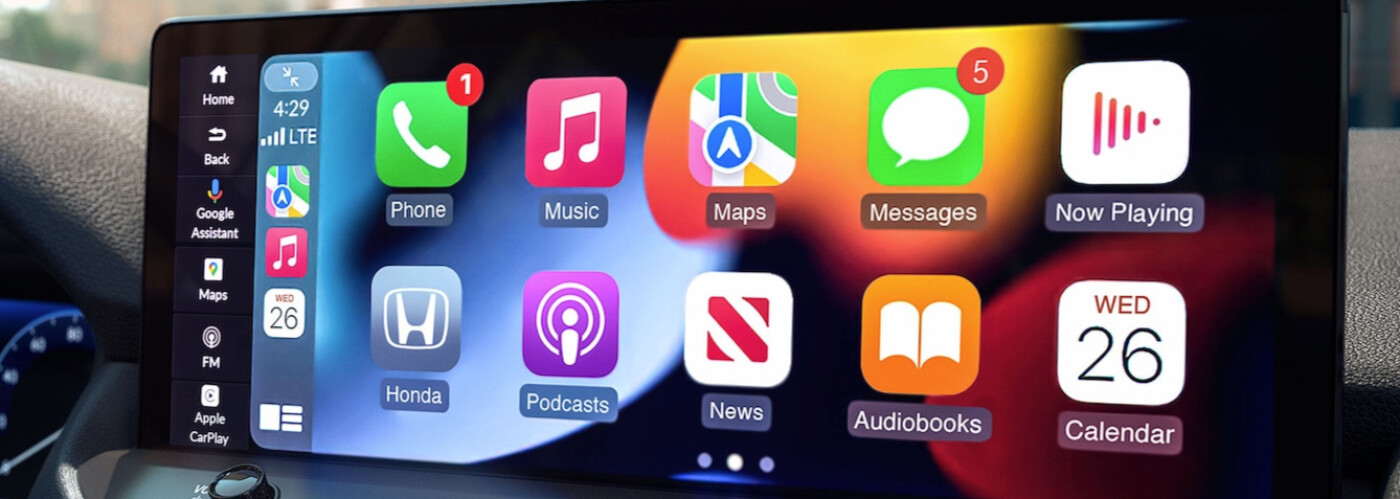
Most vehicles in the new Honda lineup, from the Honda Accord to the Honda CR-V, are available with Apple CarPlay® and Android Auto™. So it’s not surprising that our team at Sussex Honda often receives inquiries from Sparta Twp-area drivers who want to know how to connect to Apple CarPlay® and Android Auto™. In this guide, our team will go over how to connect to Android Auto™ and Apple CarPlay® and give you some tips for what to do if Apple CarPlay® is not connecting.
Before attempting to connect your Apple iPhone to your new Honda, you’ll want to ensure your smartphone is compatible. To access Apple CarPlay®, your phone must be, at the earliest, an iPhone 5 and running iOS 8.4. Any iPhones after the 5 should be compatible. Then, follow these steps:
Is your Apple CarPlay® not connecting properly? Contact the service team at Sussex Honda for troubleshooting tips or to make an appointment at our service center near Hackettstown.
Much like the iPhone, only certain versions of Android smartphones are compatible with Android Auto™. If you’d like to use Android Auto™ on an Android 9.0 or earlier model, you’ll have to download the Android Auto™ app through Google Play. Any later models should already have the app downloaded. Once you’ve verified your compatibility, follow these steps to learn how to connect to Android Auto™:
Smartphone integration can keep you entertained, connected, and informed when cruising the roads around Denville. If you run into any issues, such as Apple CarPlay® not connecting, the experts at Sussex Honda are here to help. We can also fill you in on all the details of other Honda technologies, such as the HondaLink® connectivity suite, and the Honda Sensing® package of safety and driver assist systems. Please don’t hesitate to contact us or visit us in Newton if you have any questions.
The 2026 Honda HR-V offers a refined and efficient driving experience that’s ideal for everything from Sparta Twp commutes to weekend joyrides. With updated Honda HR-V specs and smart drivetrain options, this subcompact SUV delivers smooth performance and dependable power. Whether you’re looking to maximize the Honda HR-V mpg rating or explore with confidence in…
With its potent yet fuel-efficient engine and spacious interior and cargo area, the 2026 Honda CR-V is ideally suited for both daily commuting and extended road trips with friends and family. Honda vehicles are known for their reliability, and the CR-V is no different. Learn more about why this compact SUV will enhance every drive…
Searching for the best subcompact SUV for 2026? The latest Honda HR-V returns with updates that make it a competitive choice for Hackettstown drives. Across the board, its ratings highlight its comfortable ride, efficient performance, and smart use of interior space. If you’re looking to upgrade your travels in Denville, keep reading. Service CenterCar Buying…
